Automation
ToggleActivity allows you to control ByeByeDPI from external automation apps such as MacroDroid.
The following parameters are supported:
| Parameter | Action | Type |
|---|---|---|
strategy | Update the strategy. If the service is running, it will be restarted to apply the changes | String |
only_update | Update the launch arguments without changing the service state | Bool |
only_start | Start the service if it is not running | Bool |
only_stop | Stop the service if it is running | Bool |
If none of the parameters are specified, the activity acts as an on/off toggle.
Tip
This can be useful for automatically switching between different parameter sets when changing networks, for example when switching from Wi-Fi to mobile data or between different mobile carriers.
Automatically Switching Strategies When Connecting to or Disconnecting from Wi-Fi
In many cases, one strategy works best when connected to Wi-Fi, while a different strategy is required when using mobile data. Below is a MacroDroid script that automatically switches between pinned strategies based on the current Wi-Fi connection state.
To use the script, download the file below and import it into MacroDroid: https://github.com/BDManual/ByeByeDPI-Manual/blob/main/automatic_switching.category
Autorun ByeByeDPI on application startup
There is no built-in feature to launch ByeByeDPI automatically when you start any application, and it’s not currently planned. However, you can achieve this functionality using the MacroDroid app.
Warning
Make sure to remove any restrictions on opening applications when running in the background.
The start/stop activity in ByeByeDPI is ToggleActivity. It should look like this:
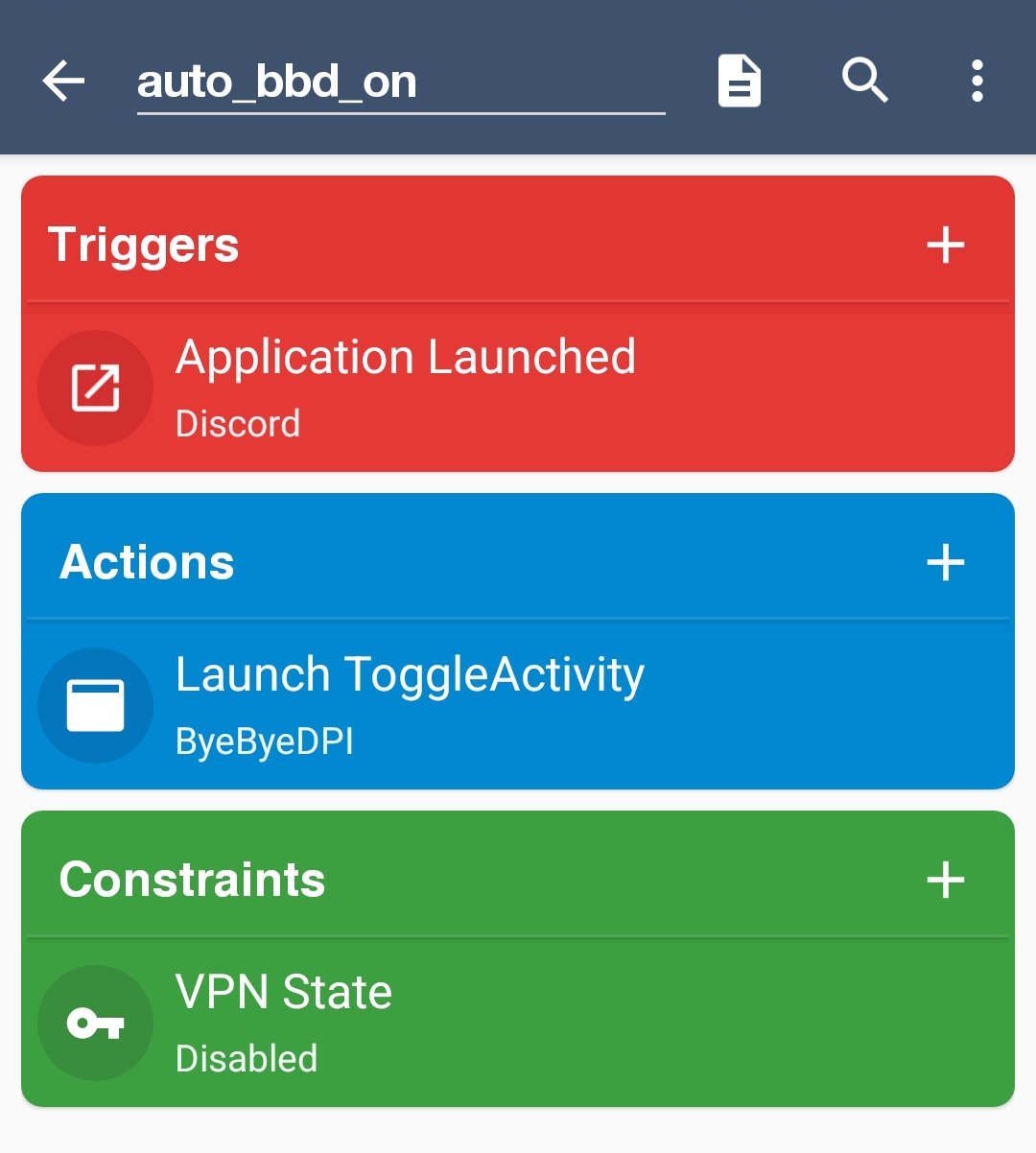
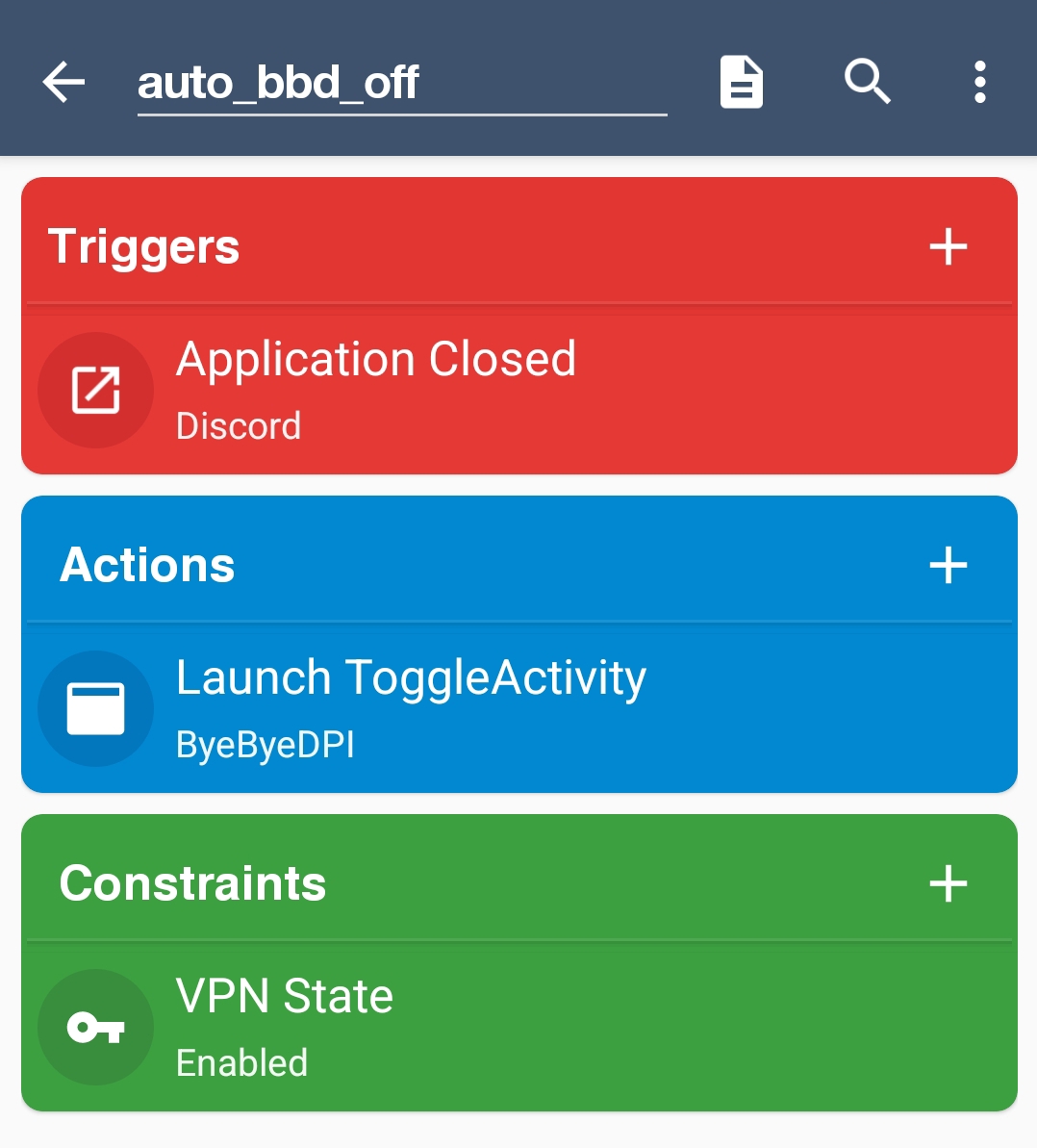
You can also create a condition, for example, if VPN is enabled and Discord is closed, ToggleActivity will be triggered.
Auto-update
The application does not implement an auto-update feature. To enable automatic updates for ByeByeDPI, use Obtainium.
- Install Obtainium.
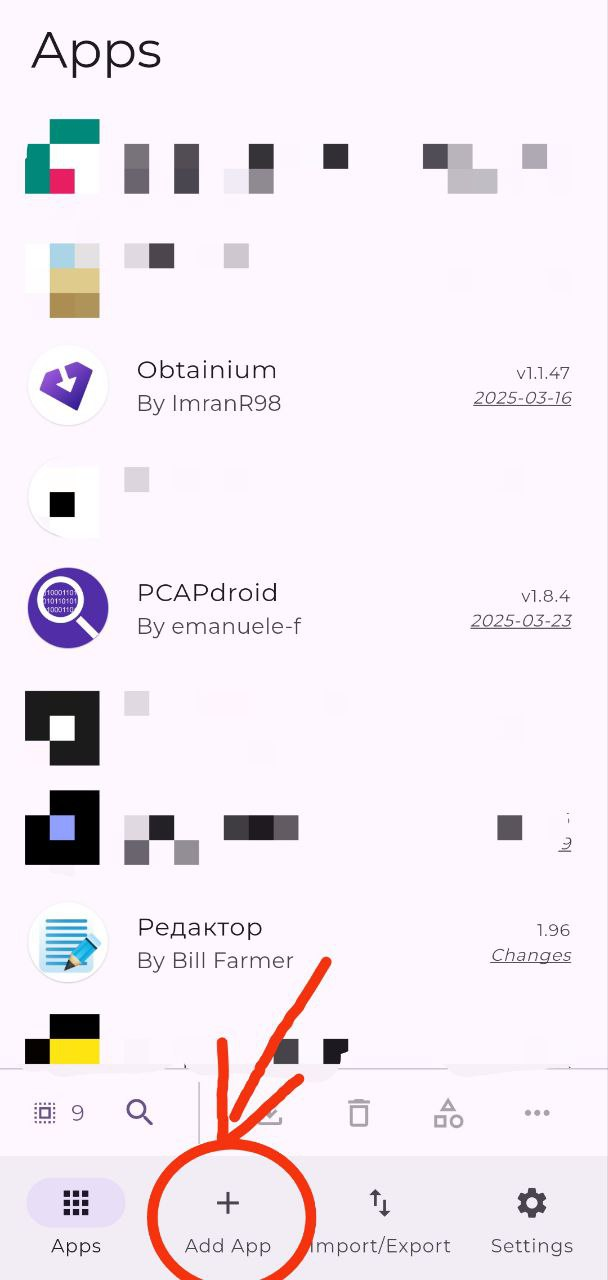
- Tap on ‘Add App’.
- Add the ByeByeDPI repository:
https://github.com/romanvht/ByeDPIAndroid/releases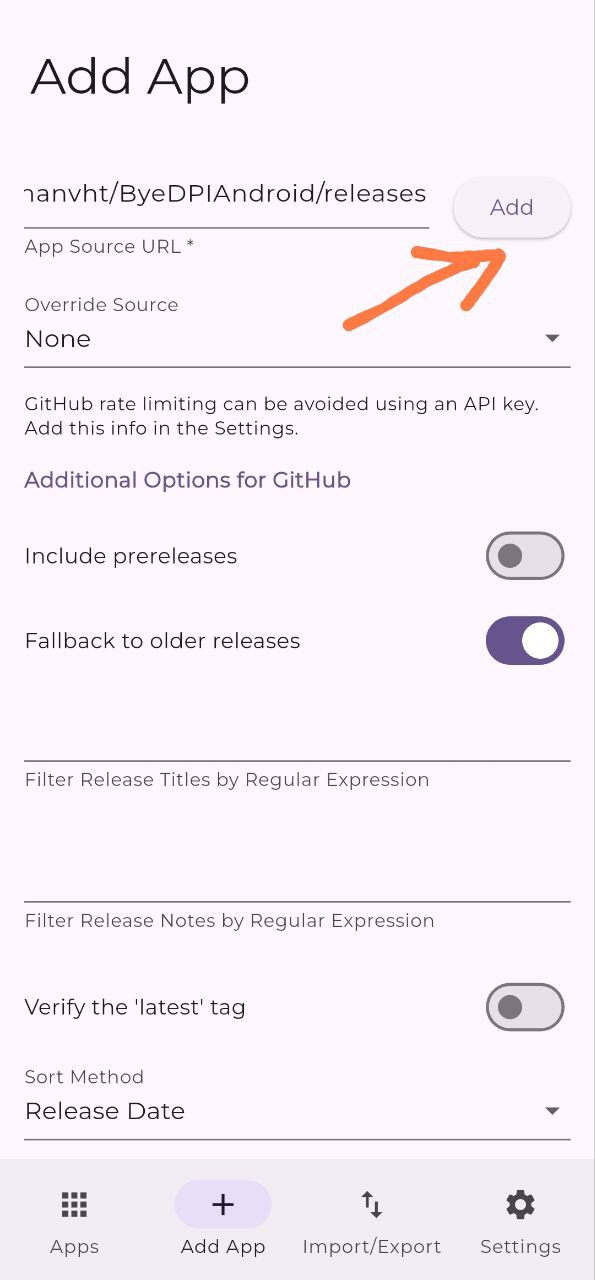
- Addendum added
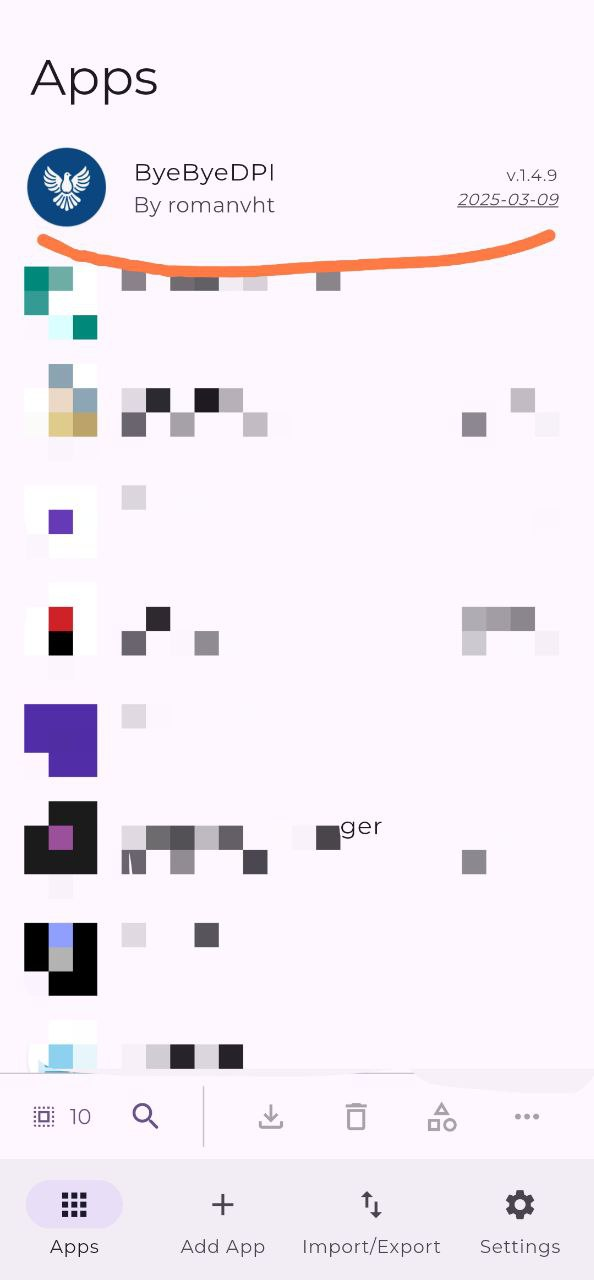
- To change the auto-update settings, adjust Obtainium’s settings.